Invoicing
The Invoicing section allows you to create and fiscalise invoices with ease.
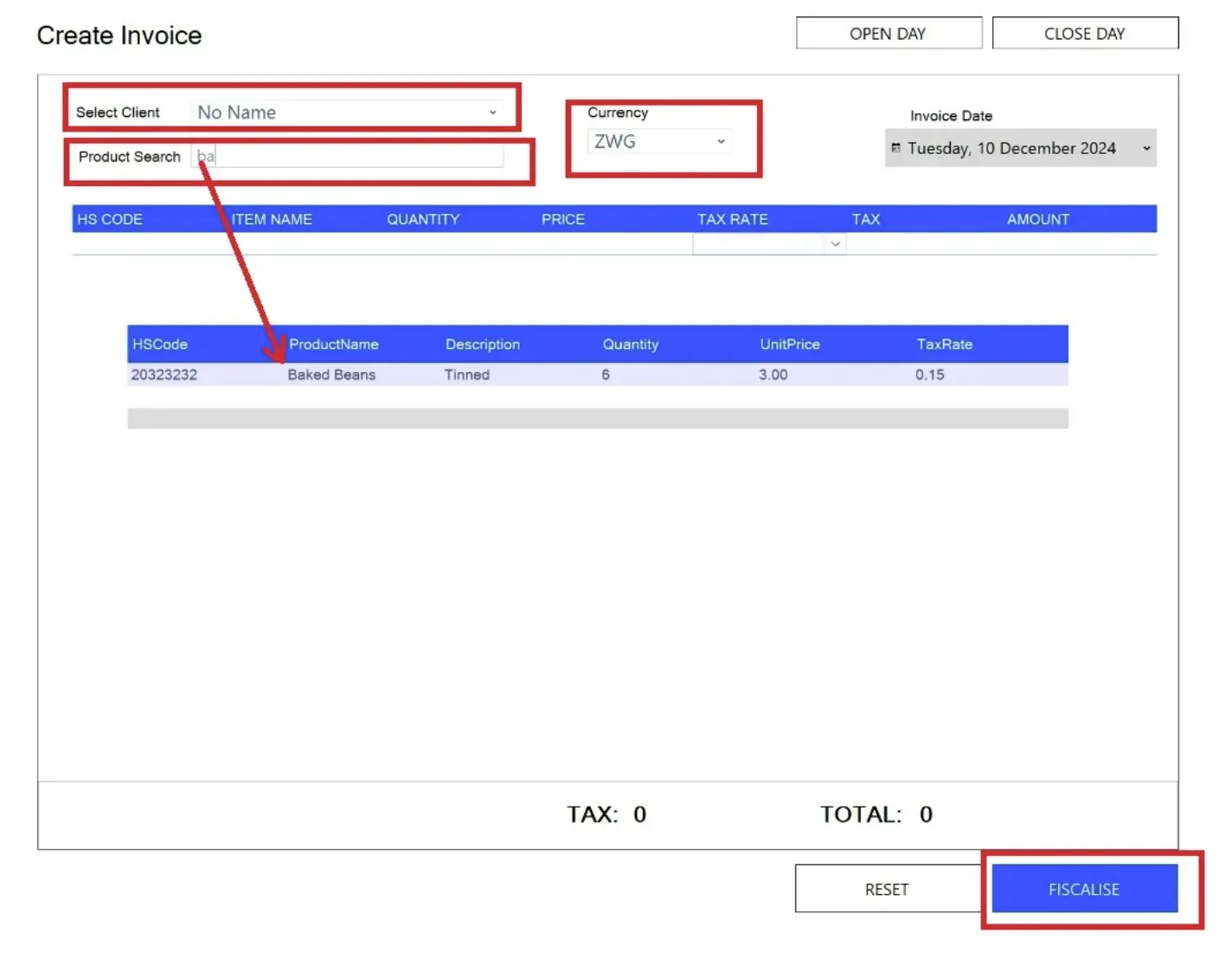
Key Features
- Currency Selection — Select the desired currency for your invoice from the Currency field.
- Customer Selection — Choose the customer by clicking the Select Client field.
- Product Selection — Add products to your invoice by searching their names in the Product Search field. You can also manually enter product details if the product is not saved in your database.
- Fiscalisation — Once the invoice is complete, click the Fiscalise button at the bottom-right corner. The invoice will be sent to ZIMRA for fiscalisation.
Additional Features
The Invoicing section also provides options to Open and Close the fiscal day directly.
For further assistance, contact us at helpdesk@axissol.com.