Stock Management
The Stock Management section allows admins to manage inventory efficiently by displaying all stock items and providing options to add, edit, or remove products.
Features
View Stock
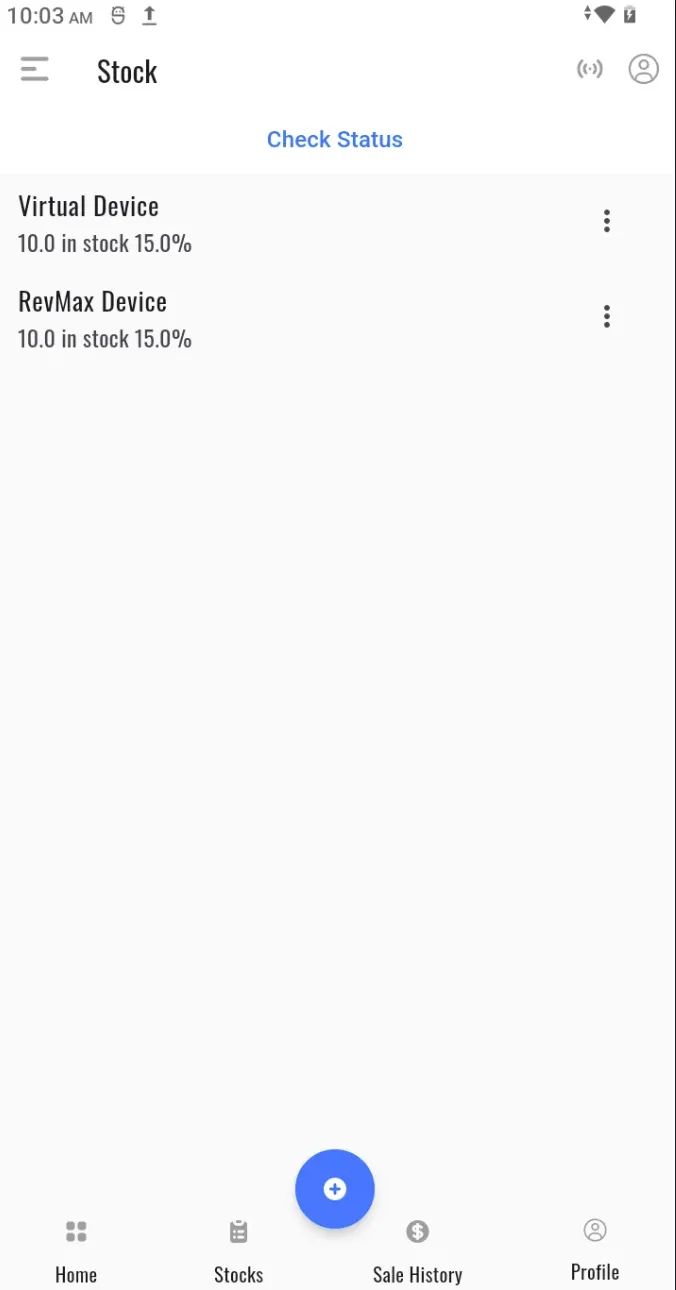
Displays a comprehensive list of all stock items in the system, including key details such as:
- Product Code
- Description
- Quantity
- Retail Price
- Wholesale Price
- Discounts (if any)
- Tax Rate
- Unit of Measure (e.g., Litres, Kilograms, Crates, etc.)
- Product Category
Add / Create Stock
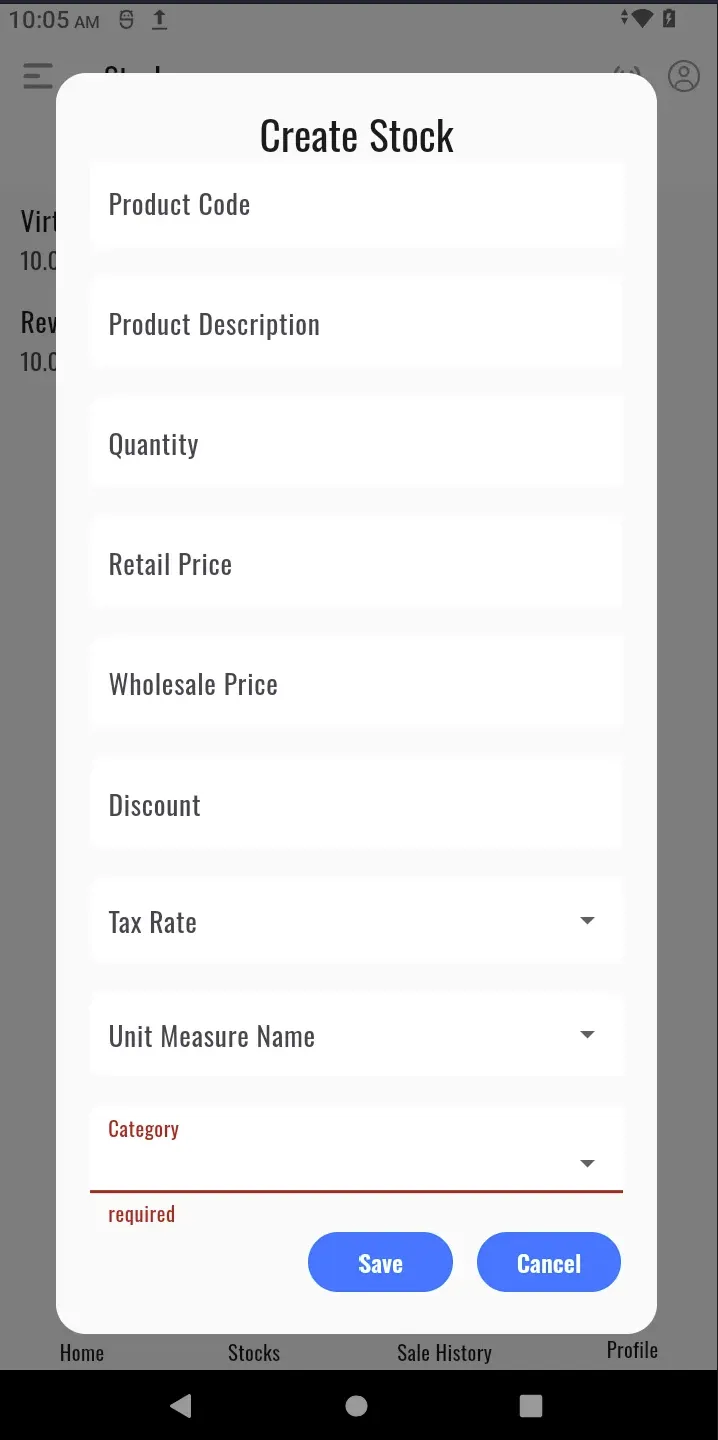
Enter the following details to add new stock items:
- Product Code
- Description
- Quantity
- Retail and Wholesale Prices
- Applicable Discounts
- Tax Rate
- Unit of Measure
- Product Category
Edit or Delete Stock
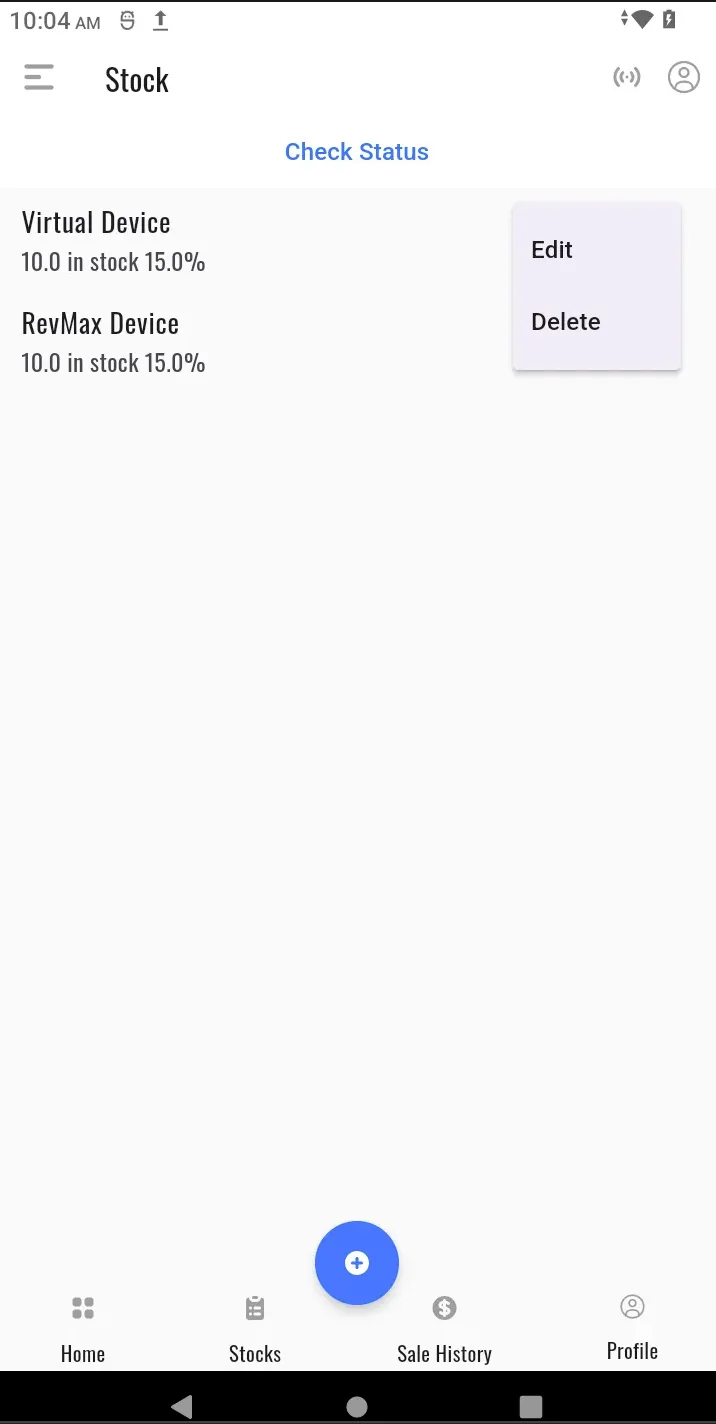
Update or remove stock items as needed. Only users with admin privileges can perform these actions.
Check Available Stock
View current stock levels to monitor inventory and avoid shortages.
Stock Settings
The Stock Settings section enables admins to configure essential inventory parameters:
- Product Categories — Create and manage categories to organise stock items effectively.
- Unit of Measure — Add and manage units such as litres (L), kilograms (KG), crates, etc., for accurate stock tracking.
- Suppliers — Add, edit, or delete supplier details to streamline procurement processes.