Sales
The Sales section provides a streamlined process for handling transactions, issuing invoices, and managing credits.
Sales Process
Create a Sale
Follow these steps to complete a sale:
- Select Product — Choose the product(s) from the inventory.
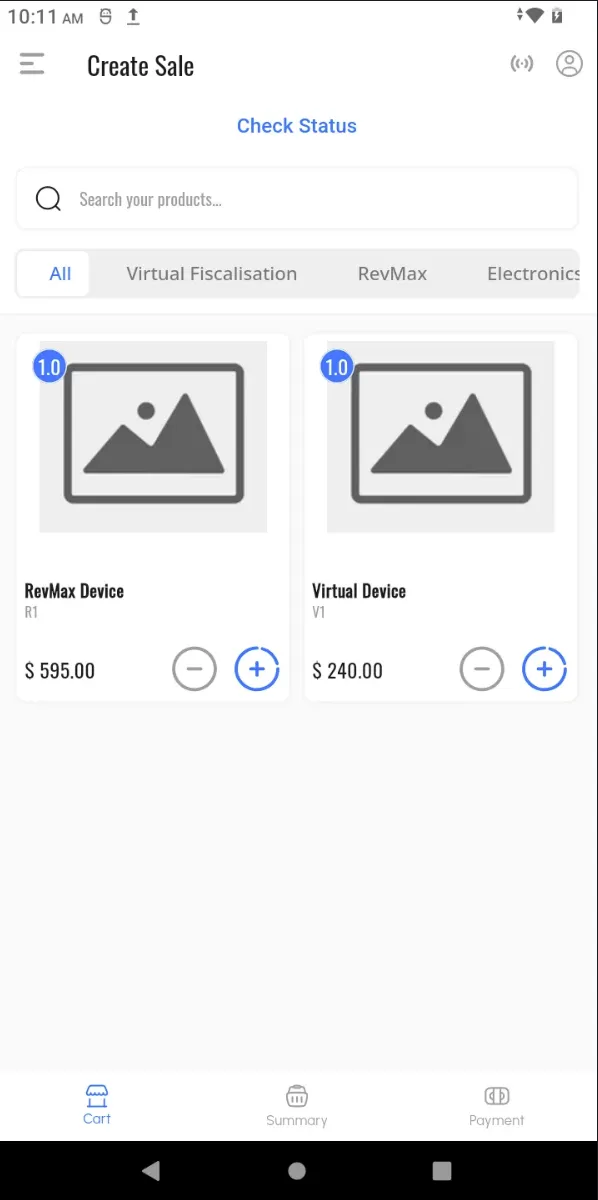
- Add Quantity — Specify the quantity for each selected product.
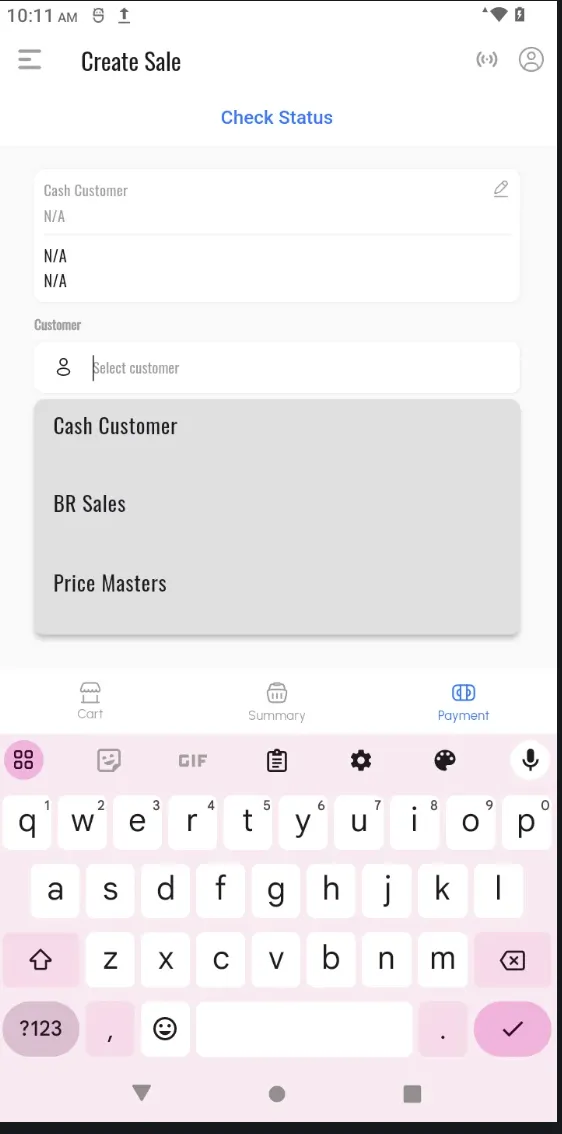
- Select Customer — Choose a registered customer from the list. If the customer is not registered, select Cash Customer.
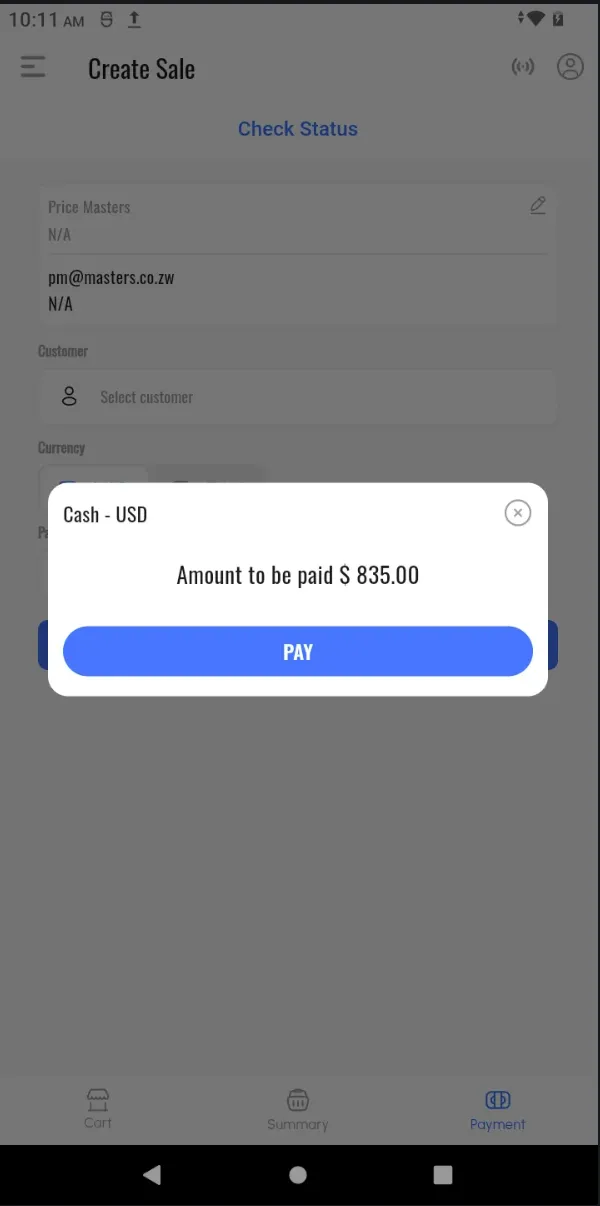
- Select Currency and Payment Method — Specify the currency and choose the preferred payment method.
- Click “Pay” — Finalise the sale and fiscalise the transaction.
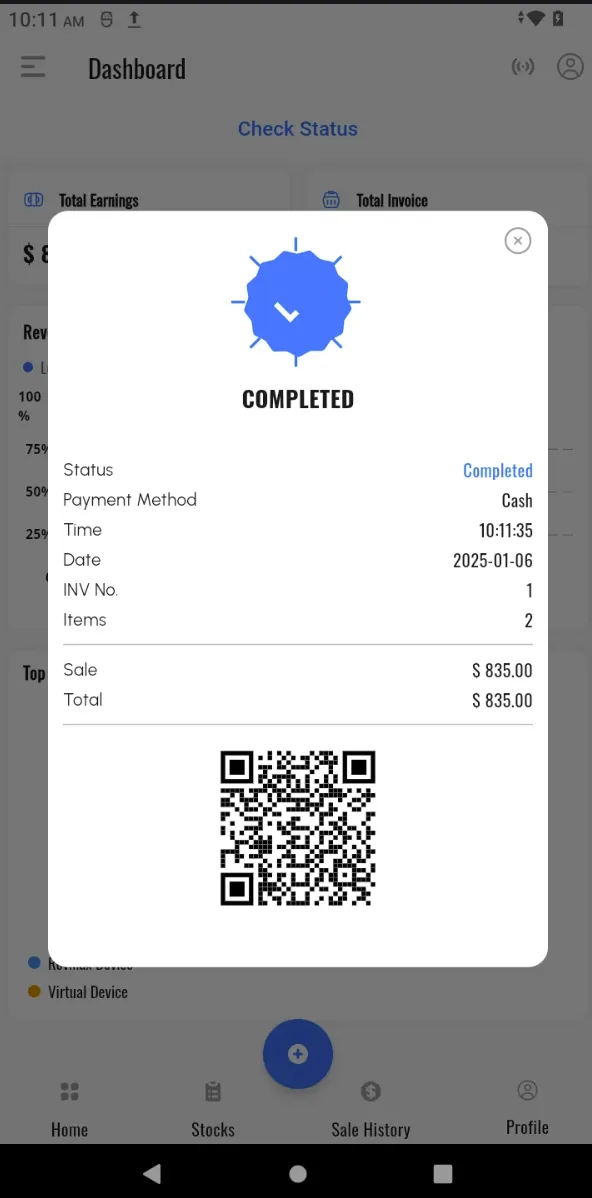
- Print Invoice — A fiscalised invoice will be automatically printed.
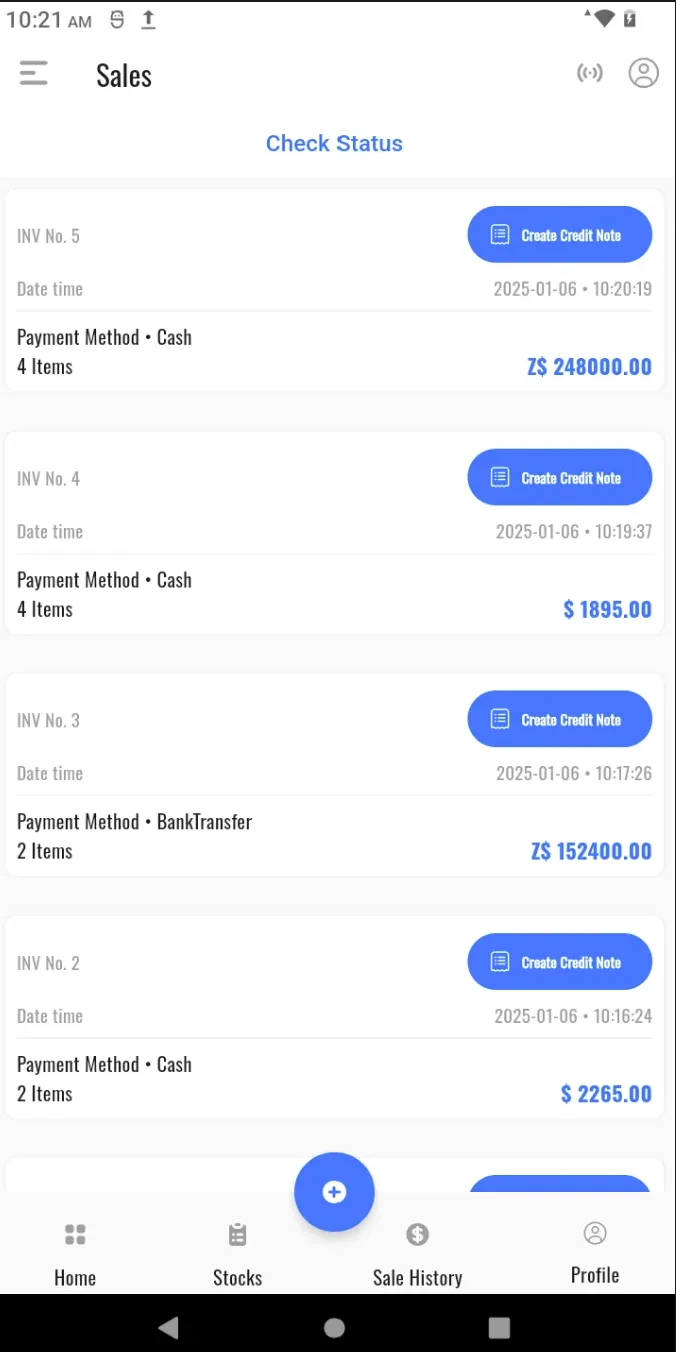
View Fiscalised Invoices
Access a detailed list of all fiscalised invoices in the system for record-keeping and review.
Create a Credit Note
Issue credit notes for fiscalised invoices using the following steps:
- Select the invoice you want to credit.
- Click the Credit Note button.
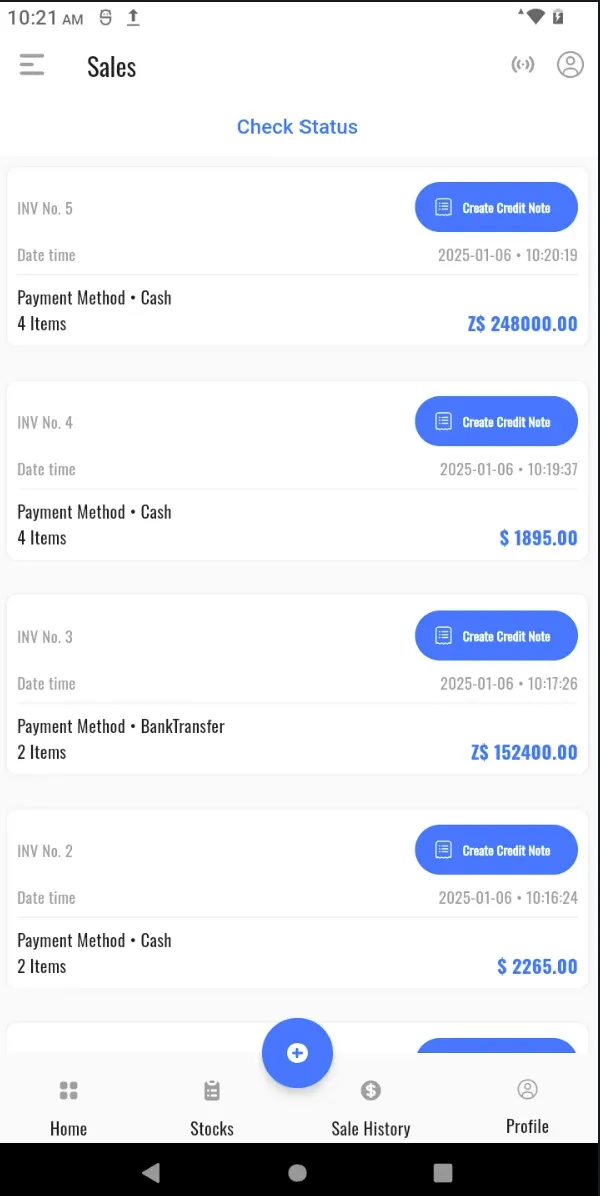
- Specify the quantity to credit.
- Provide a reason for the credit.
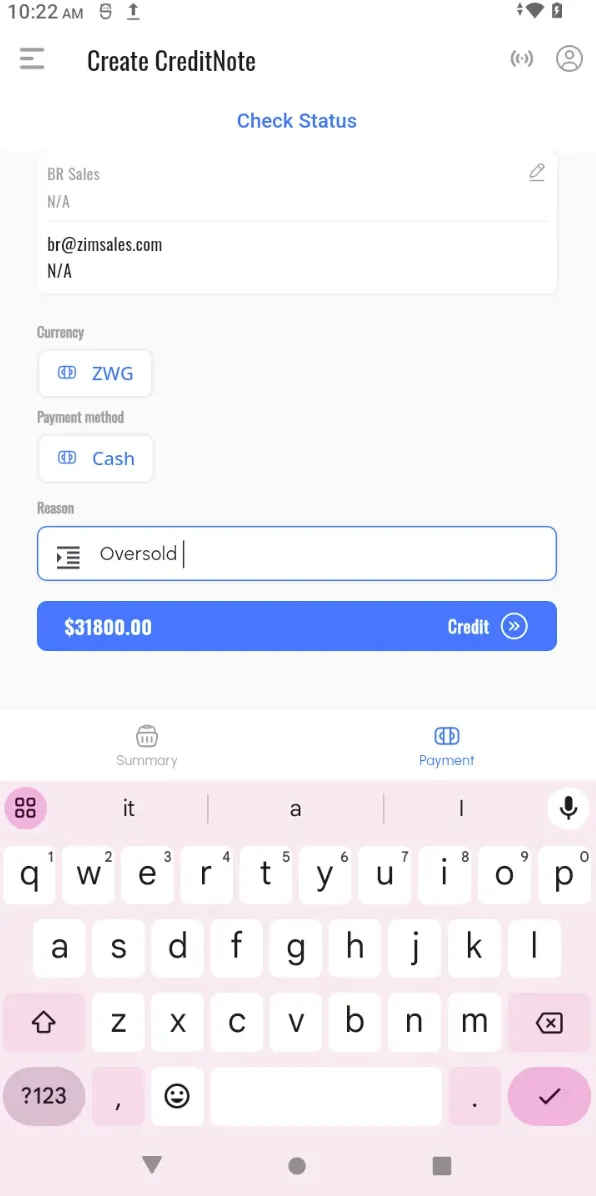
- Click Pay to fiscalise the credit note.
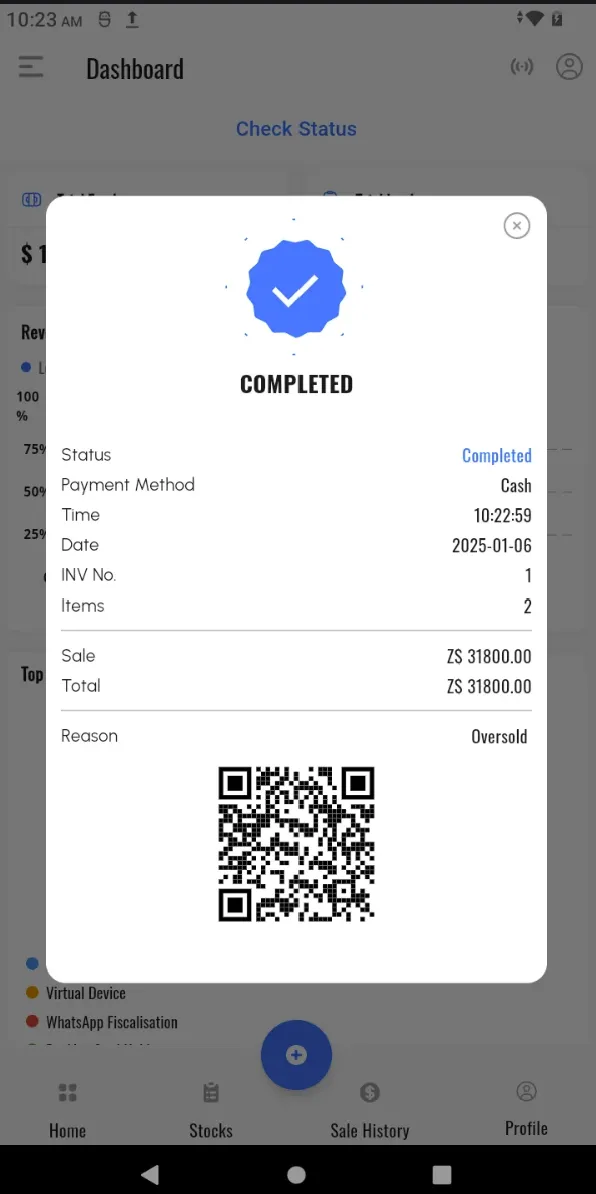
Reprint Invoices and Credit Notes
Reprint documents when needed by selecting the invoice or credit note and clicking the Reprint button.