Settings
The Settings section in Virtual RevPOS Lite allows you to configure key aspects of your accounting system, including company details, tax rates, fiscalisation modes, currencies, and printing options.
Company Settings
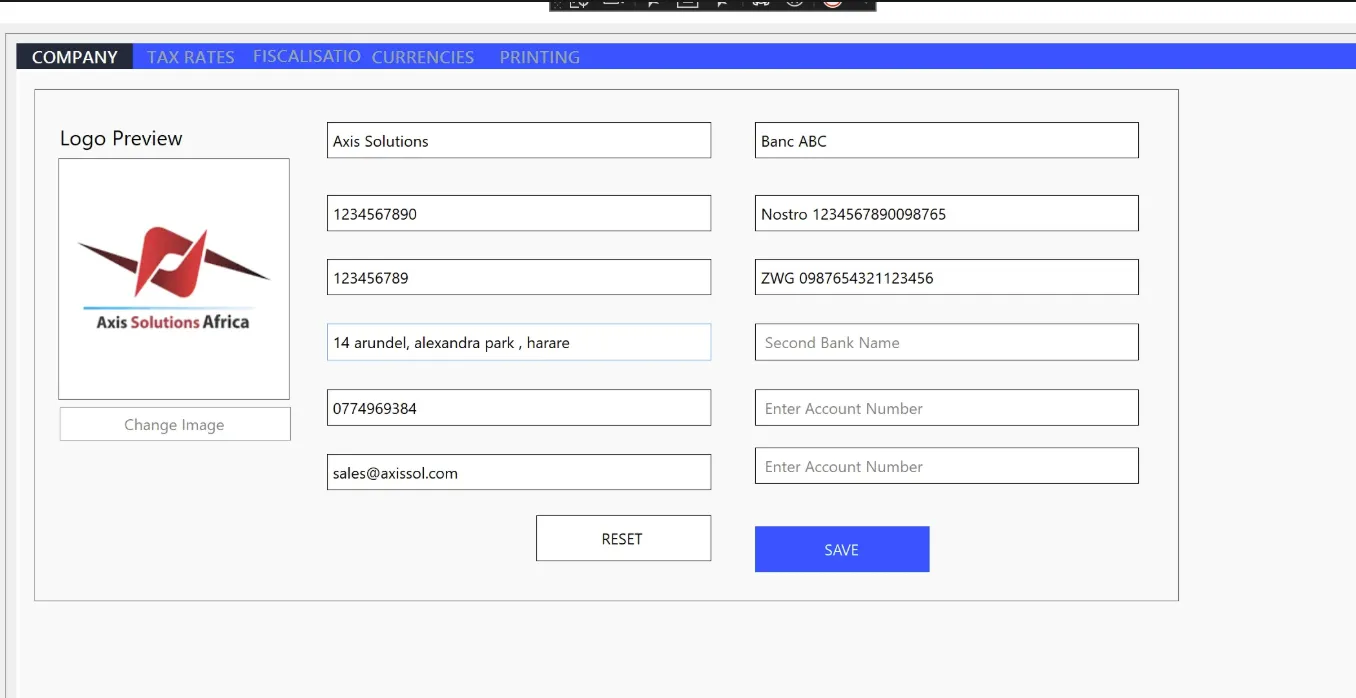
Configure your company details, such as:
- Company Name
- TIN (Taxpayer Identification Number)
- VAT Number
- Address
- Banking Details
Tax Rates Settings
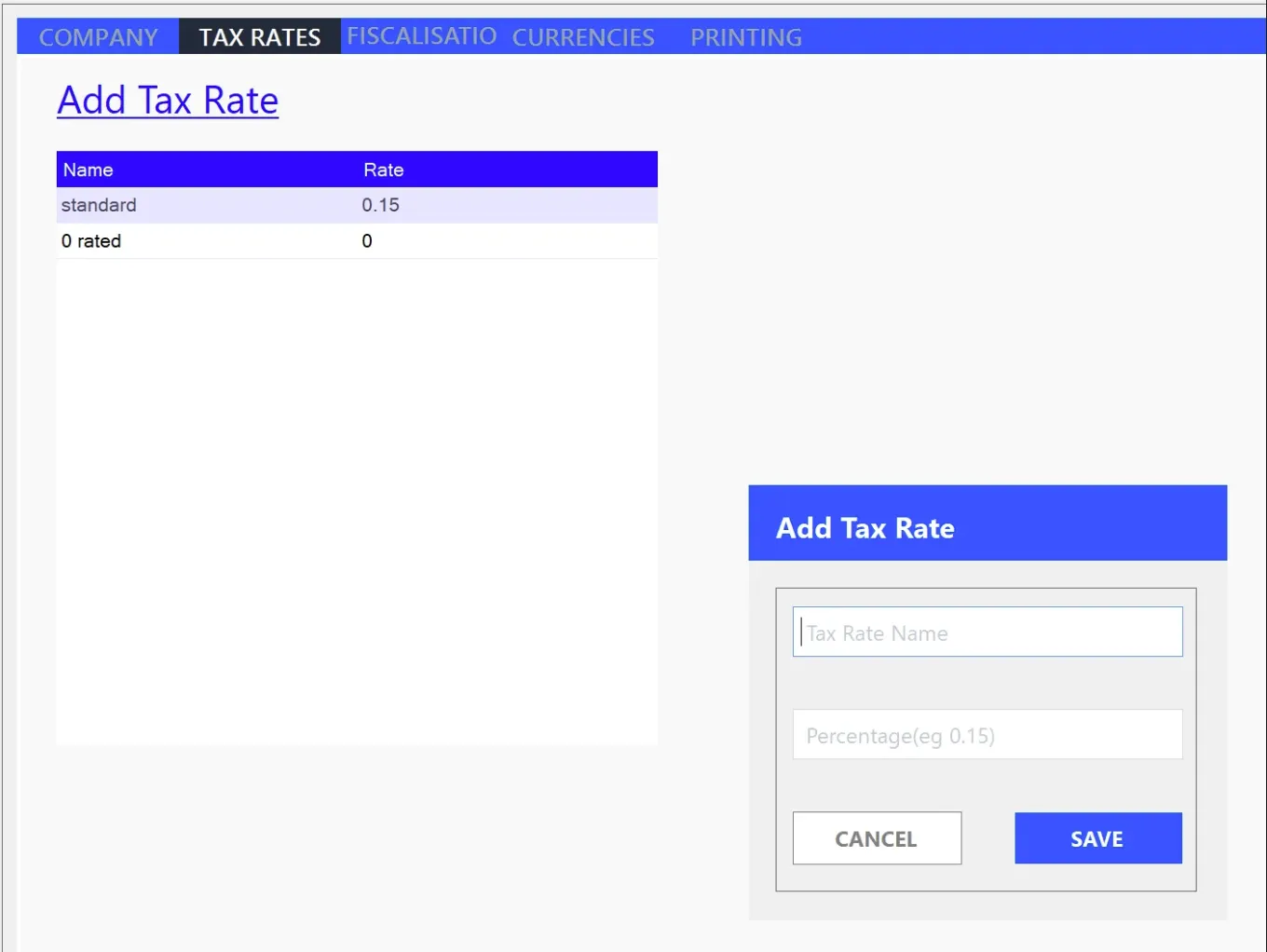
Define the tax rates applicable to your products, such as:
- Standard Tax (15%)
- Non-Vatable (0%)
- Exemptions
Fiscalisation Settings
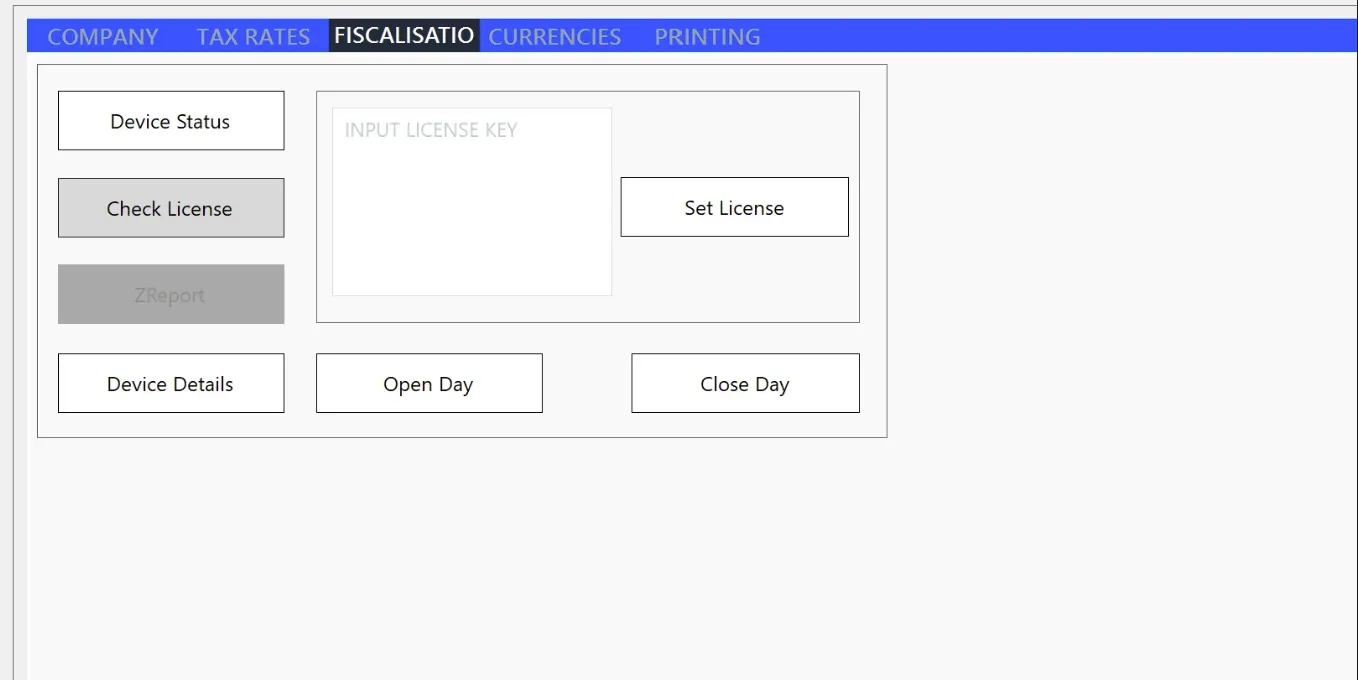
Manage fiscalisation operations, including:
- Setting the license for the device.
- Checking the device status.
- Opening or closing the fiscal day.
- Other fiscalisation-related configurations.
Currencies Settings
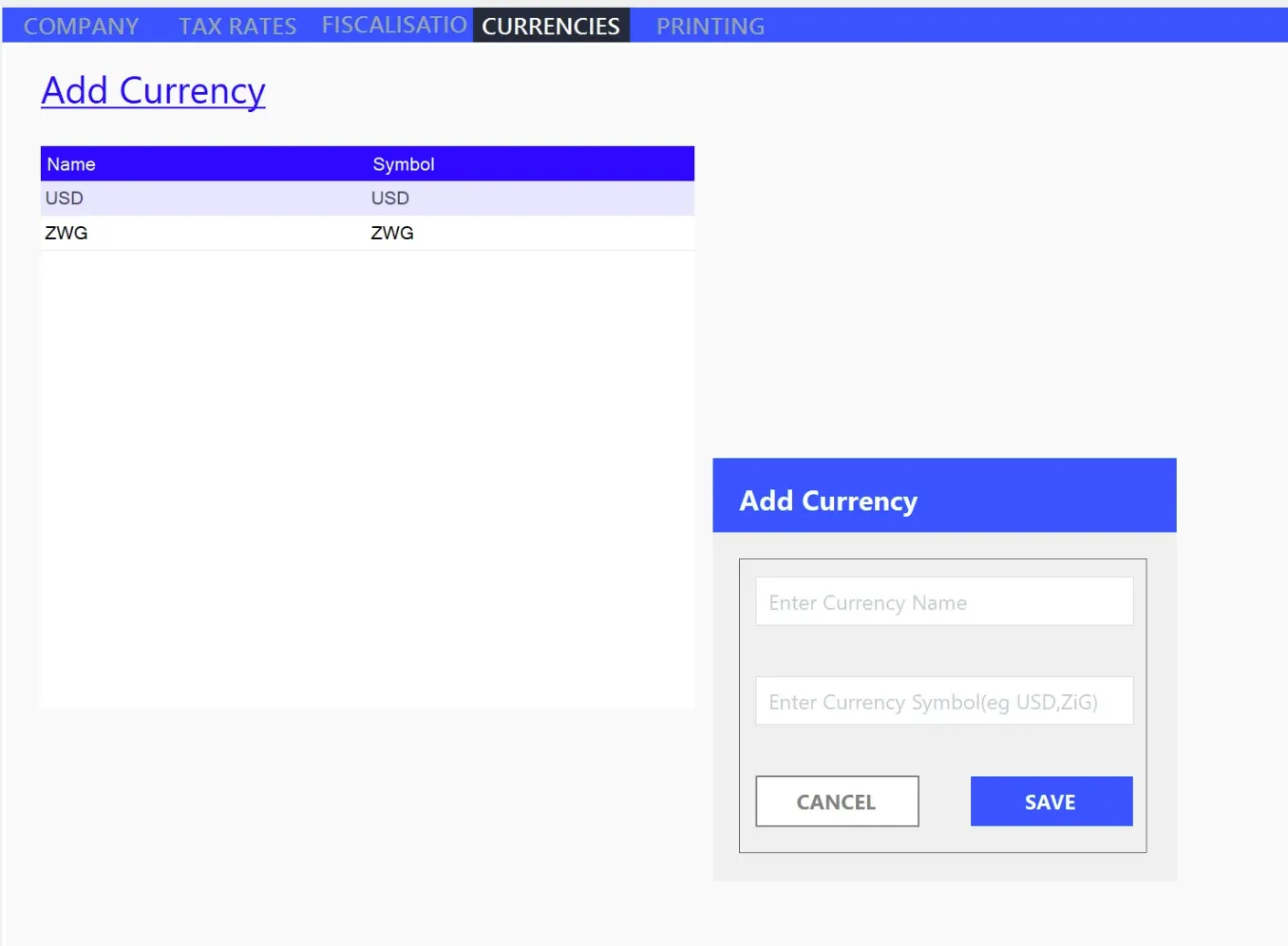
Set the currencies in which you invoice, such as:
- ZWG (Zimbabwean Gold)
- USD (United States Dollar)
- ZAR (South African Rand)
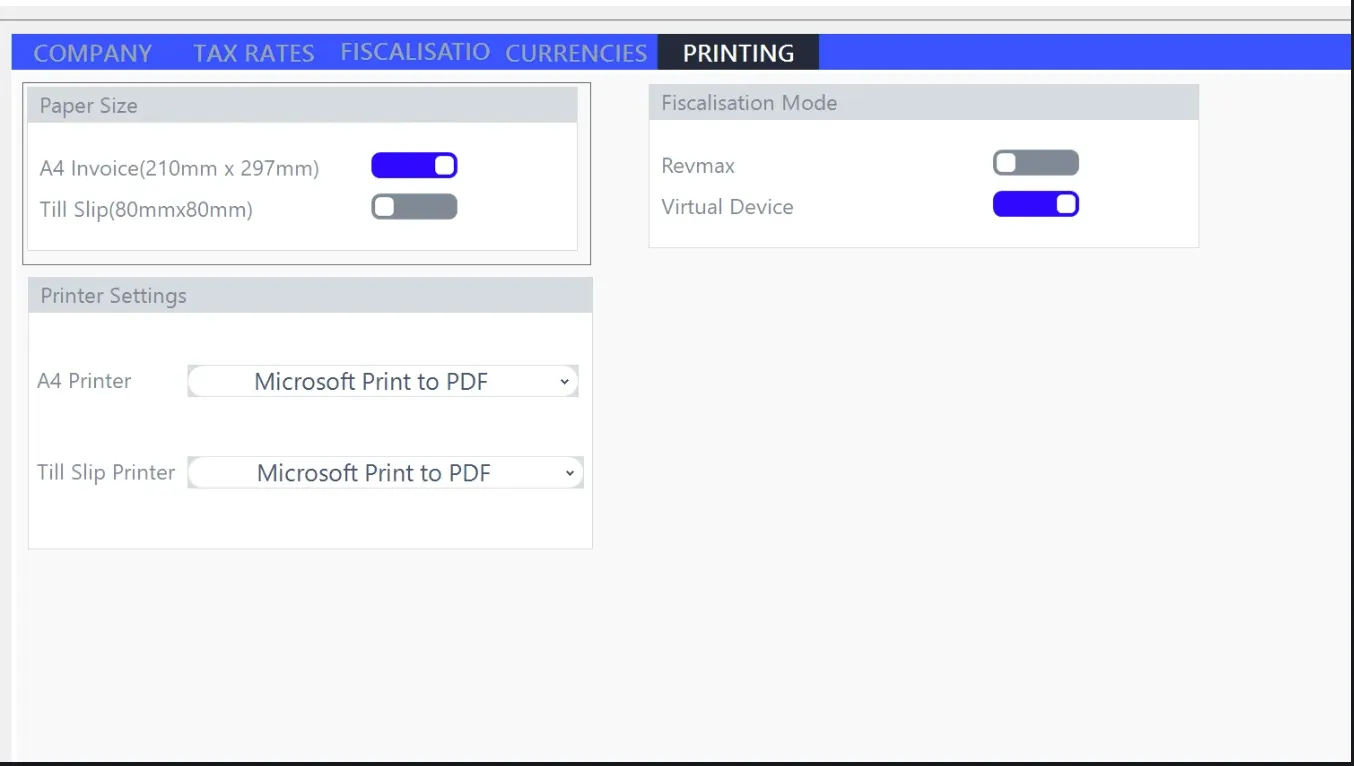
Printing Settings
Configure your printing preferences, such as:
- Whether to use the Virtual Printer or not.
- Choosing the output format: PDF or physical printout.
- Selecting a physical printer for hard copy invoices.
For a demo or assistance, contact our team at helpdesk@axissol.com.